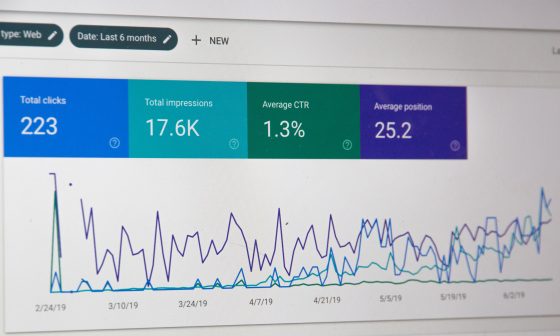




Source: Freepik
We have all been there. You have a client who has been with you on a fixed pricing package for years. They are your stable “sleep-well-at-night” income. But you know there’s money left on the table.
You want to grow the account without raising service costs. The fear of “breaking” the relationship is real. You do not want to come across as a thirsty salesperson and risk the monthly recurring revenue you have worked so hard to build.
Identifying the right upsell opportunities in your client journeys is not about aggressive sales tactics. If you aren’t growing your clients, you are basically waiting for them to churn when a hungrier agency comes along with a better pitch.
Research has shown that retaining and growing existing clients is significantly more profitable than acquisition. If you can move a client from $150 to $300 per location, your profit margin doesn’t just double. It often triples because your “cost of acquisition” is zero. This guide is about finding those upsell opportunities without looking like a desperate car salesman.
TL;DR: How to Identify the Right Upsell Opportunities in Client Journeys With Synup
- Strategic tips for upsell-ready clients: Shift from selling instincts to performance data and behavioural signals.
- Positive performance signals: Use KPIs like traffic growth, CTR, share of voice plateaus, and engagement to justify logical next services.
- Gaps and opportunities: Identify missing layers like reviews, content updates, or reputation workflows through centralized account insights.
- Client growth signals: Track multi-location expansion, hiring activity, frequent updates, and brand consistency needs as triggers for higher-tier services.
- “Next level” needs: Listen for competitor anxiety, platform trends, or conversion worries that naturally open CRO, video, or ads conversations.
- Complementary services: Pair Local SEO with Reputation Management, GBP work with product posts, and other low-lift, high-value add-ons.
- Journey-based upsell timing:
- Onboarding: Sell foundational audits, speed fixes, and data clean-ups.
- 3–6 months: Scale proven wins with content, links, video, or CRO.
- QBRs: Use gap analysis and soft pitches to introduce new services.
- Systematizing with Synup OS: Use custom pipelines, automated triggers, tasks, and client portals to track, forecast, and execute upsells at scale.
- Account manager best practices: Lead with value, quantify opportunity cost, ask outcome-focused questions, and negotiate smartly to reduce friction.
Part 1: Strategic Tips for Identifying Upsell-Ready Clients
Let’s look at a real-world situation that happens a lot:
You have a stable client, a regional pest control company with 12 locations.
You handle their social media (3 posts a week), a weekly blog, and a monthly newsletter. They pay you $1,800 a month, and the client relationship is good. But they are stagnant. You’re afraid to pitch them on Google Ads because if the leads don’t come in, they might question the $1,800 they already spend, in addition to what you’re adding in cost for pay-per-click management.
The shift is moving from “What can I sell?” to “What is the data telling me they need?” Here are some tips:
A. Look for Positive Performance
The best time to ask for more budget is when the client is “flush” with success. It’s when the client sees green across their dashboard.
If their organic traffic grew by 15% last month, they are in an expansionist mindset.
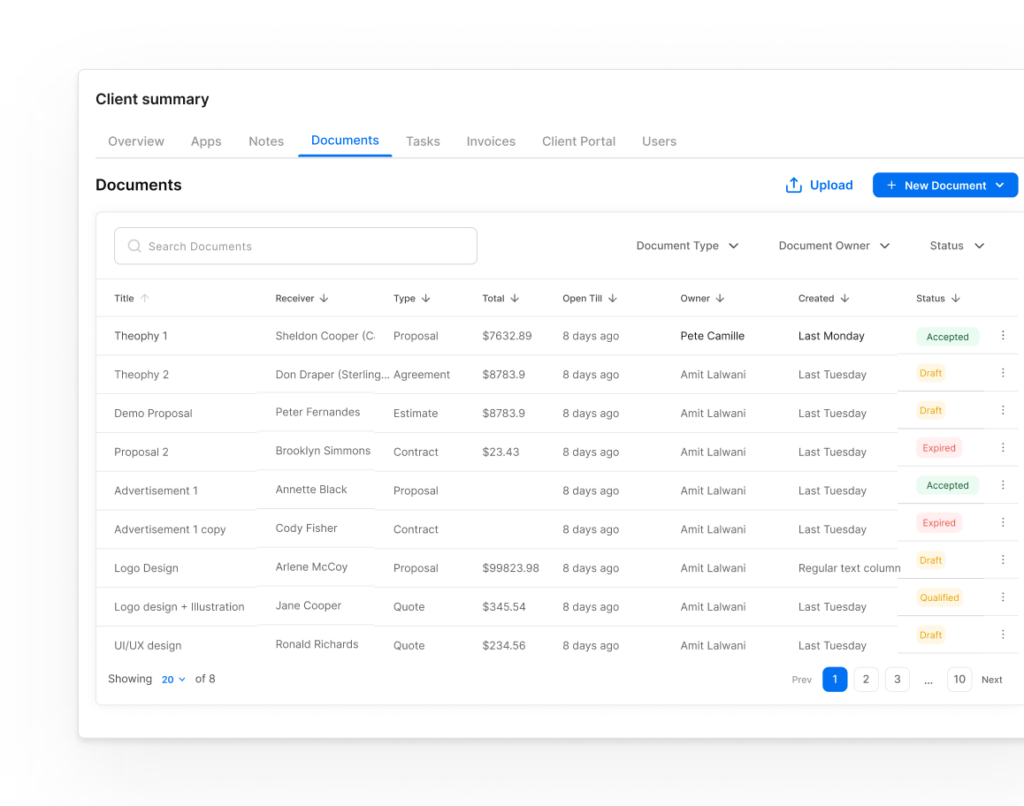
Instead of guessing, use the Synup Client Summary to identify upsell opportunities with precision.
Source: Synup
- Monitor Performance Signals: Check the core KPIs like search impressions or click-through rates to see where the client is crushing it. If you see their “Share of Voice” has plateaued at 40%, that is your opening. You don’t just ask for “more SEO money.” You can say something like, “We’ve dominated 40% of the local market, but to capture the remaining 60%, we need to layer in reputation management to boost the click-through rate on our rankings.”
- Identify Gaps & Opportunities: The platform identifies account gaps for you instantly. If the system flags that a client has high traffic but zero review response activity, that is a direct signal to pitch a managed reputation service.
- Track Onboarding & Business Details: Check the onboarding status and business info to ensure the foundation is rock solid before you pitch. You never want to upsell a client who still has pending setup tasks; wait until they are fully onboarded and seeing those first “quick wins.”
- Watch the Activities Feed: See exactly what your team or the client has been doing lately. If the client is frequently logging in to check their rank tracker, they are highly engaged and likely ready for a deeper strategy discussion.
- Leverage Data Enrichment: Use custom fields and AI-enriched data to understand the client’s business better than they do. If you see they’ve added new service categories but haven’t updated their content, you have a ready-made pitch for a content expansion package.
Plus, by centralizing these signals in one view, you stop being a “vendor” and start being the strategist who knows exactly what the business needs next. On top of that, it saves your account managers hours of digging through data, allowing them to focus on the high-value conversations that actually move the needle.
B. Recognize Client Growth Signals
Watch for the “Multi-Unit Expansion” signal. If a local client adds their 11th location, they have officially moved from “small business” into “enterprise-lite” territory.
Their priorities shift instantly. They stop losing sleep over just getting the next phone call and start obsessing over brand consistency across every single storefront.
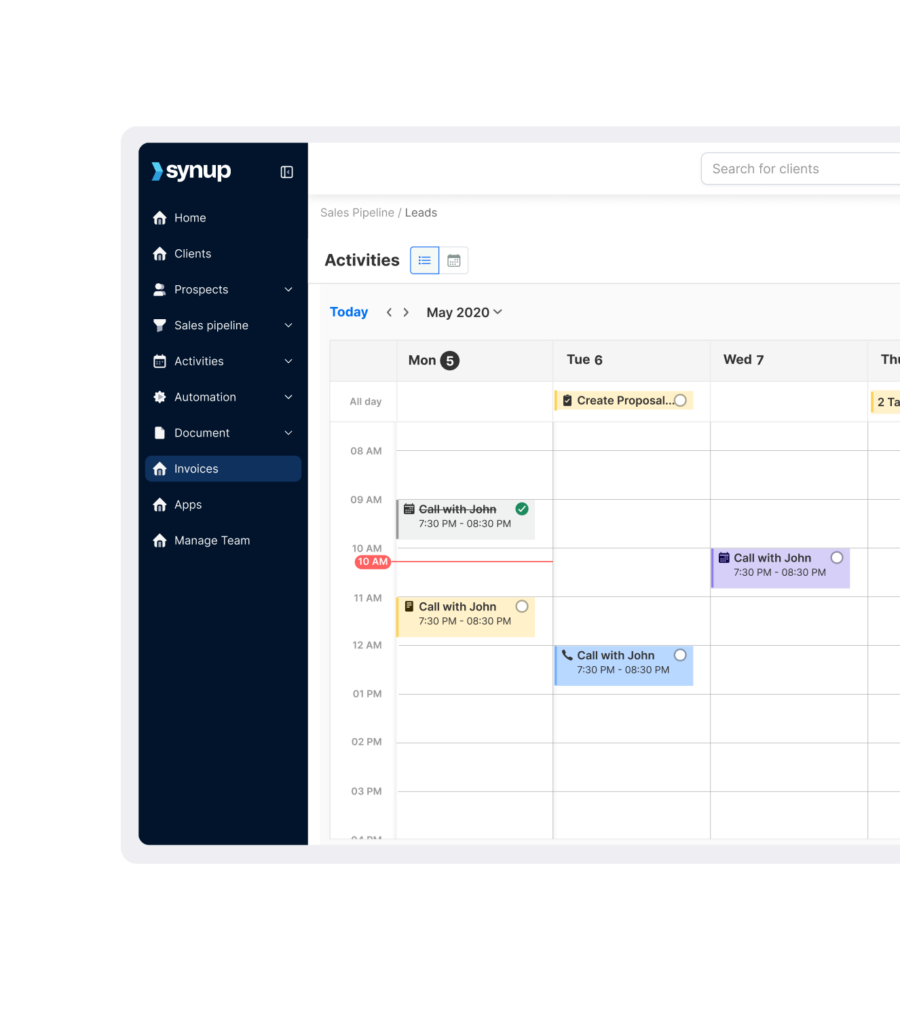
You can get ahead of these changes through Synup’s Tasks/Activities to stay ahead of the curve:
- Integrated Workflow & Calendar Views: Use the calendar and task views to log every client call, email, and meeting in one central place. If your notes show a client is constantly bugging you to update their “Locations” page or their “About Us” section, that is a glaring signal they are growing.
- Calendar Sync & To-Do Lists: Sync your calendar to track what has been done and what is still sitting on the back burner, so no growth signal gets lost in the shuffle. Another thing to watch is hiring data; if your to-do list includes setting up social permissions for five new technicians, that client needs more leads to keep those folks busy. Along with that, a sudden spike in “update” requests usually means they’ve got fresh capital to burn.
- Assign & Collaborate: When you spot a signal, you can immediately assign a task to an account manager to reach out with a strategic proposal.
- Automated Emails: Leverage automated emails to follow up on pending tasks or meetings, so your growth conversations actually cross the finish line. Besides just saving time, it keeps the momentum alive when you’re handling fifty other things.
In addition to an integrated workflow, you ensure that every deal and note is accounted for in one place. In addition, it allows your team to collaborate on complex, multi-location strategies without dropping the ball.
C. Listen for “Next Level” Needs
You know that moment in a monthly call where the client sighs and says, “Man, I saw our competitor’s reviews are way higher than ours,” or ”I saw a TikTok about AI search; are we doing that?“
These aren’t complaints; they are upsell opportunities. If they want “high-value jobs,” they need a landing page optimization (CRO) project. If they are worried about TikTok, they need a short-form video content package.
When a client brings up a pain point, they are giving you permission to solve it. Equally important is the competitive gap. If a rival dentist down the street starts running heavy video ads on Facebook, your client is going to feel the “FOMO.” You don’t need to sell them on video; you just need to offer them a way to keep up.
D. Offer Complementary Services
Think of your services as “logical pairs.” If you are doing local SEO, it is a no-brainer to offer reputation management.
Why?
First, you can help businesses achieve a #1 ranking with local SEO. But if they have a 3.2-star rating, nobody is going to click.
On top of that, look for “low-lift” tasks that add massive value. If you’re already managing their Google Business Profile, offering to handle their “Product Posts” is an easy $50/month add-on per location that takes your team ten minutes but keeps the client’s profile active.
Part 2: Mapping the Client Journey to Upsell Moments
Timing is everything. You wouldn’t ask a client for a 50% budget increase in their second week. You can’t treat a 30-day client the same as a 3-year client. The “Moment of Receptivity” changes based on the lifecycle.
A. Onboarding/Initial Setup
During the first 30 days, you have the most “authority.” The client has just hired you as the expert.
This is the “honeymoon phase.” The client’s trust is at an all-time high because they just chose you.
The Opportunity: Selling Foundational, High-Value Add-Ons
When you’re setting them up on a white-labeled platform, you might notice their website speed is abysmal. This is the time to pitch a one-time “Performance Optimization” package.
Another thing to look for is their data consistency. If their NAP (Name, Address, Phone) data is a mess across the web, selling a “cleanup audit” as a foundational step is an easy upsell opportunity for your client.
B. Quick Win/Value Realization (3–6 Months)
By month four, the client has seen the “initial pop.” Maybe their GMB views went from 2,000 to 5,000.
This is where the “real” relationship starts. The initial excitement has worn off, and they want to see the “meat” on the bones.
The Opportunity: Using Initial Success to Catapult
If their local rankings have moved up, they are satisfied. Now may be the time to pitch content strategy, link building to accelerate that growth, or increase a winning process:
“We’ve proven that people are finding the profile. Now we need to give them a reason to stay.” This is where you upsell from 1 blog post a week to 4, or add a “Video Case Study” package. You aren’t asking for more money for the same work; you are scaling a proven winning strategy.
Plus, if they see that the leads you are bringing in are high quality, they will be much more open to a “lead magnet” or “CRO” upsell to convert more of that new traffic.
C. Quarterly/Annual Review
The QBR (Quarterly Business Review) shouldn’t just be a report of what you did. It should also include what you didn’t do because of budget constraints or other challenges.
The Opportunity: The “Gap” Analysis
Show them exactly where they sit compared to the “Top Dog” in their market. If the top competitor has 400 reviews and your client has 50, the “Reputation Management” upsell sells itself.
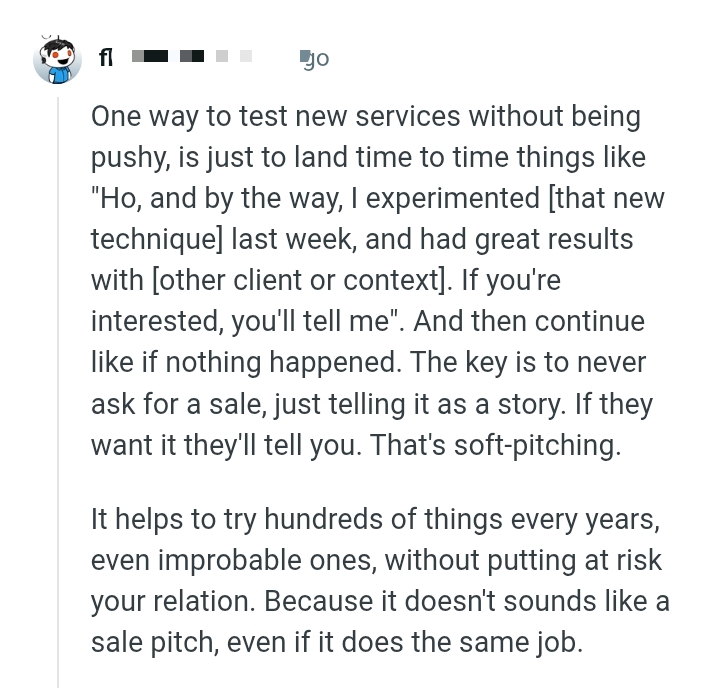
One way to test new services without being pushy is “soft-pitching.” It sounds like this:
“Hey, just a heads up, I experimented with a new local landing page technique last week for another client, and we had great results; about a 20% jump in conversions. If you’re interested, let me know, and we can chat about it next month.”
And then you just move on. No pressure. If they want it, they’ll tell you. It doesn’t sound like a sales pitch, even if it does the same job.
One agency owner explained how this upsell idea works:
Source: Reddit
Part 3: Using Synup OS to Systematize and Execute Upsells
You cannot scale a 10-person agency on gut feelings. You need a system of growth. One that flags opportunities so they don’t fall through the cracks.
Monitoring the Upsell Process with Custom Pipelines
In your Agency OS, you should have a specific pipeline for “Account Growth.”
You should create a pipeline specifically for existing clients:
- Signal Detected: (e.g., Client hits 4.8-star rating).
- Opportunity Identified: (e.g., They are ready for Review Advertising).
- Soft Pitch Made: (Documented in the Tasks section).
- Formal Proposal: (Uploaded to the Client Portal).
This allows you to track the profitability of your Account Managers. If one AM has a 0% upsell rate while another is at 20%, you know where you need to coach.
In addition, it provides a predictable forecast of where your agency’s revenue is headed.
Automating Upsell Outreach
You are busy. Your team is busy. You can’t manually check 100 locations every day. But you can use automated data-driven triggers.
If your Client Summary shows that a client has 20+ unanswered reviews, an automated task should be created for the AM to pitch “Managed Reputation Services.”
Not just that, but you can automate the education phase. Send a case study about “The ROI of Managed Reviews” to every client who hits a certain volume of feedback. By the time the AM gets on the phone, the client is already sold on the concept.
Another thing you can do is set up “low activity” alerts. If a client hasn’t logged into their Client Portal in a month, that’s a signal they are disengaged, which is actually an opportunity to reach out with a “new strategy” pitch to win them back.
Centralizing Client Communication and Tasks
Efficiency is the enemy of churn.
If a client has to email you to ask, “What are we doing this month?“, you are losing the upsell battle.
By using the Tasks/Activities feature, you show the client the “Future Roadmap.” If they see “Phase 2: Advanced Local Link Building” sitting in the “Future” tab of their portal, the upsell becomes a conversation about timing, not if they should buy it.
Part 4: Upselling Best Practices for Account Managers
Your AMs are likely not natural salespeople. They are helpers. You have to frame upselling as “helping them more.”
Lead with Value, Not Price
Instead of saying, “It’s another $500,” rephrase it as “Consider the Opportunity Cost.”
Don’t say, “This costs $200.” Say, “This will help us capture the 30% of traffic we are currently losing to [Competitor Name].”
OR
”Right now, your competitors are capturing about $5,000 worth of leads from this specific zip code because we aren’t running local service ads there. To capture that, we need a budget of $1,000. Does it make sense to go after that $5k?”
Use Data to Justify
Numbers kill objections. If you can show a client that their conversion rate is 2% while the industry average for their niche is 4%, the CRO upsell isn’t an “ask” but a rescue mission.
Ask the Right Questions
Shift the focus from the tool to the outcome.
- ”If we could automate your review requests and save your front-desk person 5 hours a week, what would that be worth to the business?”
- ”What happens if we keep our current SEO spend but Google changes the local map layout next month? Do we have a ‘Plan B’ like Local Service Ads?“
Don’t Be Afraid to Negotiate
If you are pitching a big new service, offer a “Founder’s Discount” for the first 90 days. This lowers the risk for them and gets you the “yes” faster.
Conclusion
At the end of the day, upselling isn’t about taking more money from your clients; it’s about helping them get bigger results so they never want to leave you. By using a platform like Synup OS, you can spot the “hidden” signals that a client is ready for more. Stop waiting for them to ask you for help. Be the agency that stays one step ahead, identifies the right upselling opportunities, and builds a business that is truly “sticky.”
Also Read: Most Profitable Industries to Sell Reputation Management Services
FAQs
1. How do you identify upsell opportunities in a customer journey for a specific product market?
You have to look at “Performance Peaks.” When a client sees a significant ROI from one channel (e.g., local SEO), they are psychologically more likely to trust you with a second channel (e.g., paid ads). In the SMB space, this usually happens around the 6-month mark once the initial trust is solidified through consistent reporting.
2. How do you identify opportunities for upselling or cross-selling to existing customers?
The easiest way is with a service gap audit. If you are doing their SEO but they are using a different (and worse) tool or service for their reputation management, that is a cross-sell opportunity. You can use a tool like Synup to consolidate their stack. It saves them money on software while increasing your monthly recurring revenue (MRR).
3. What are the 5 C’s of opportunity identification?
This is a classic framework adapted for agencies:
- Company: Do you have the team and tools (like Synup) to deliver this new service profitably?
- Customers: Does the client actually have a need for this, or are you just trying to hit a quota?
- Competitors: What are other agencies pitching to your clients? Stay ahead of them.
- Collaborators: Can you partner with a specialized vendor to provide a service such as high-end video?
- Climate: Are there changes in Google’s algorithm or local search trends that make a certain service (like schema markup) more valuable right now?