

Source: Freepik
If you’ve ever tried helping a small or mid-sized business get more customers from local search, you already know the drill. They want calls. They want foot traffic. They want real people walking through the door.
Often though, when you check, their Google Maps presence is idle, untouched, and a little neglected.
Agencies, however, can quickly turn local search around. A structured Google Maps marketing strategy can boost rankings, calls, and direction requests, without a heavy ad budget.
For context, Synup powers brand visibility and reputation workflows for hundreds of thousands of businesses. We’ve helped brands build trust, grow traffic, and manage local listing more efficiently. This guide breaks down seven tips you can roll out this week.
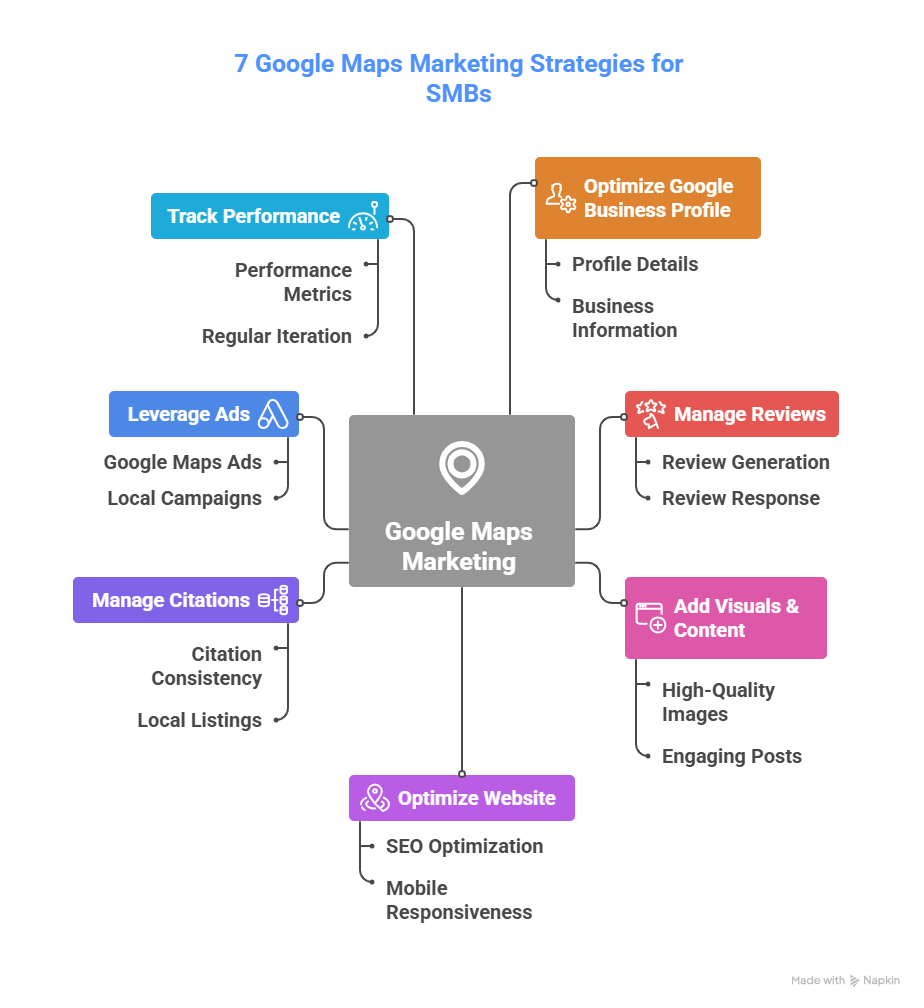
TLDR: Google Maps Marketing Tips to Implement for Your SMB Clients
- Google trusts listings more when the website and profile match perfectly.
- Build dedicated location pages, add schema, embed maps, and speed up mobile pages.
- Fix citation errors across directories to avoid ranking drops.
- Combine organic improvements with Google Maps Ads for faster visibility early on.
- Run regular audits on photos, reviews, categories, and ranking signals.
- Use Insights to track calls, direction requests, discovery searches, and photo engagement.
- Local visibility is not a one-and-done. Momentum comes from ongoing updates.

Optimize Every Detail of the Google Business Profile
Most SMBs treat their Google Business Profile like a one-time form.
- Claim it
- Upload a logo
- Add hours
- Aaaaand…..Leave it alone forever
Sadly, that “set it and forget it” approach kills online visibility.
Google expects the profile to stay fresh. Every field matters. Every update counts. And every missing detail lowers trust.
Start with a full google business profile audit. Check categories, service areas, descriptions, products, services, attributes, and operating hours. You’ll be shocked at how many profiles still carry old phone numbers, outdated photos, and no primary category alignment at all.
You also need to look out for relevance gaps. During audits, agencies often find a profile with no service areas or a mismatched NAP.
Plus, you want to understand why map rankings drop in the first place. A lot of agency folks share the same patterns.
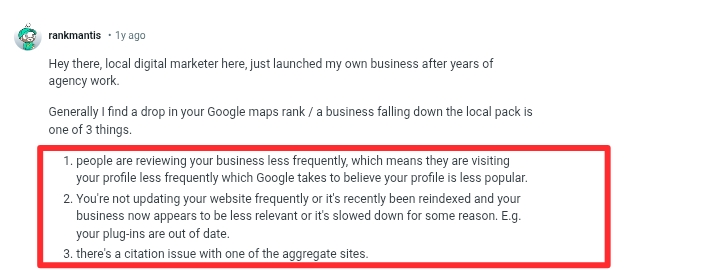

When customers leave reviews less often, profile engagement drops, and Google interprets that as lower popularity. Outdated websites or slow reindexing can reduce relevance, while inconsistent citations across third-party sites hurt trust signals. On top of that, competitors updating their profiles more aggressively can easily overtake your client.
According to Backlinko, a whopping 42% of all clicks go to the results in the top three local map results. So small ranking slips can hurt in a big way.
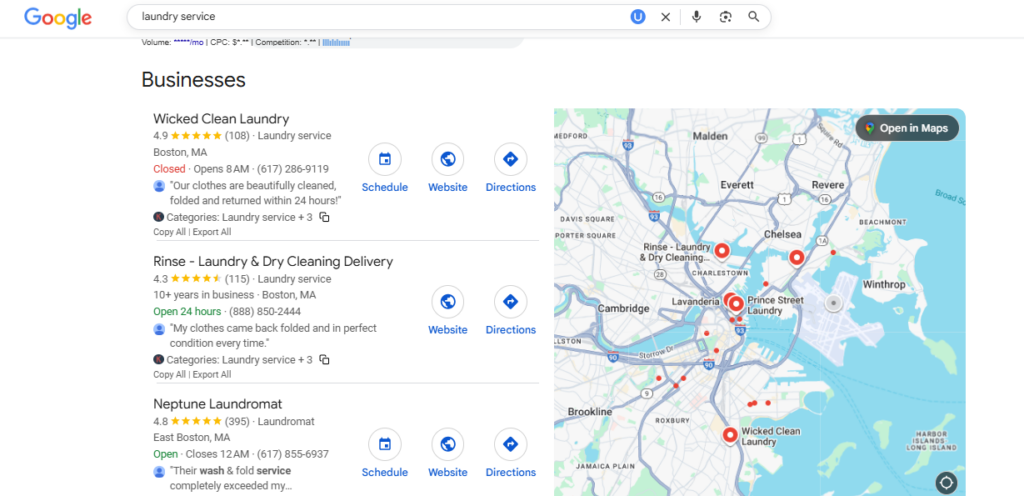

Here are some small practical actions you can implement now:
- Complete every field inside the profile.
- Refresh category alignment. Choose the most accurate primary category.
- Rewrite the description using natural city-level search phrase patterns.
- Add UTM parameters to track sessions, conversions, and revenue from the profile.
- Run full profile audits quarterly.
This is the foundation. When you fix the basics, the rest of your strategy compounds faster.
Generate, Manage, and Respond to Reviews Strategically
Reviews are the heartbeat of local visibility. They drive rankings, build credibility, and boost conversions while shaping customer perceptions before they even visit your website. Google confirms that both the quality and frequency of reviews matter. In fact, 98% of consumers read reviews for local businesses, which is almost everyone.
Your agency should treat online reputation management like an ongoing growth channel. Set up a simple post service workflow. After each job or purchase, send an SMS or email that politely asks for feedback. Keep it short and easy. Then respond to every review within twenty-four hours.


It’s also in your best interests to encourage clients to engage in natural language. This matters more than people think. When someone writes “best massage therapist in Dallas” or “quickest HVAC team near Chandler,” those phrases create contextual signals Google picks up.
Another thing. you shouldn’t incentivize customers for reviews. Google has become very strict about fake or incentivized reviews. Avoid anything that feels forced. Slow, consistent growth beats sudden, suspicious spikes.
Check Out: What is Review Recency: Does it Matter for Local SEO?
Add High Quality Visuals, Posts, and Engagement Content
A lot of clients still think their Google business profile is some boring digital ID card that never needs updating. Meanwhile, the first thing customers look at on your business listing is the photos. Not the description. Not the hours. The photos. This is according to various local SEO experts, data, and studies.
So visuals quietly decide whether a person taps through or keeps scrolling to the next business.
Encourage clients to load the listing with eight to twelve clean, sharp images.
- A clean storefront shot
- A few interior shots
- Natural team moments (working, helping customers, prepping orders)
- Product closeups or service equipment
- Short 10 to 20-second video clips
- Seasonal or event-based visuals
- A simple fifteen-second walkthrough recorded on a decent phone
Encourage them to use decent lighting. Even an iPhone under good lighting beats a DSLR in bad conditions.
You’re basically helping customers get a feel of the space before they ever show up.
Also, visuals cannot be a one-and-done thing. Fresh photos act like a pulse check for Google. When the listing keeps getting updated, the system treats it as an active business that people actually pay attention to.


In addition to visuals, use weekly Google Posts as your client’s small but mighty storytelling slot. These posts don’t need to feel corporate.
You can share simple stuff like limited offers, quick how-to tips, new arrivals, community events, or even practical FAQs customers ask all the time. Treat each post like a landing page that’s helpful, clean, and straight to the point. And since posts fade, updating them weekly keeps the listing warm in Google’s eyes.


Another thing. The Q and A section is free real estate most businesses ignore. Don’t wait for customers to ask the obvious questions. Seed your own. Ask the things people usually call to confirm, which can be:
- parking details
- delivery options
- whether they accept walk-ins
- their peak hours…
Then answer them. It helps people convert faster and gives Google more content to understand what the business offers.
Also, rotate visuals throughout the year. Seasonal updates prove the business is active. These updates don’t need to be fancy. Even swapping out old team photos or adding a quick video of a new product line helps.
All these show Google that the business is present, operational, and worth ranking higher than the competitor who last updated their listing some years ago.
Optimize the Client’s Website to Support Maps Visibility
When a client’s map ranking feels stuck, most agency folks run straight to the profile, tweak a few fields, and hope something clicks. But the truth is simple.
Google trusts the listing more when the website supporting it looks healthy, local, and consistent. Both assets feed each other. When they line up cleanly, Maps’ visibility lifts faster.
Start from the basics. Make sure the NAP on the website mirrors the listing exactly with the same spelling, same abbreviations, same everything.
You’d be surprised how many sites have “Street” in one place, “St” in another, and a totally different phone number in an old footer template. Google reads this as shaky.
Also, build dedicated location pages if the business serves multiple cities or neighborhoods. This helps Google understand exactly where the company should appear. Plus, clients love seeing their city highlighted on a page. It feels more personal and increases conversions.
Read: Your Go-to Multi-Location SEO Guide
Since around 92 percent of Maps searches happen on mobile, your client’s site needs to load fast, feel clean, and make the core details visible immediately. More than half of near-me searches lead to a physical store visit within 24 hours.
That means mobile speed and clarity directly drive foot traffic.
Also, polish each location page with micro social proof. Something simple, like people around this area rate us as the friendliest dental team in [City], adds emotional weight without sounding forced.
Then drop a CTA: Find us on Google Maps for quick directions. These little touches reduce friction for mobile users already in decision mode.


Manage Local Citations and Maintain Consistency
Citations may seem small or overlooked, but they carry real SEO weight. They’re small trust signals scattered across the internet. When those signals match, Google sees a stable business. When they conflict, Google hesitates. And hesitation equals lower rankings.
So, start with a citation scan. Synup helps you find duplicates, random old listings, outdated phone numbers, and stray profiles created by past employees. You’d be shocked at how many SMBs have ghost listings floating around.
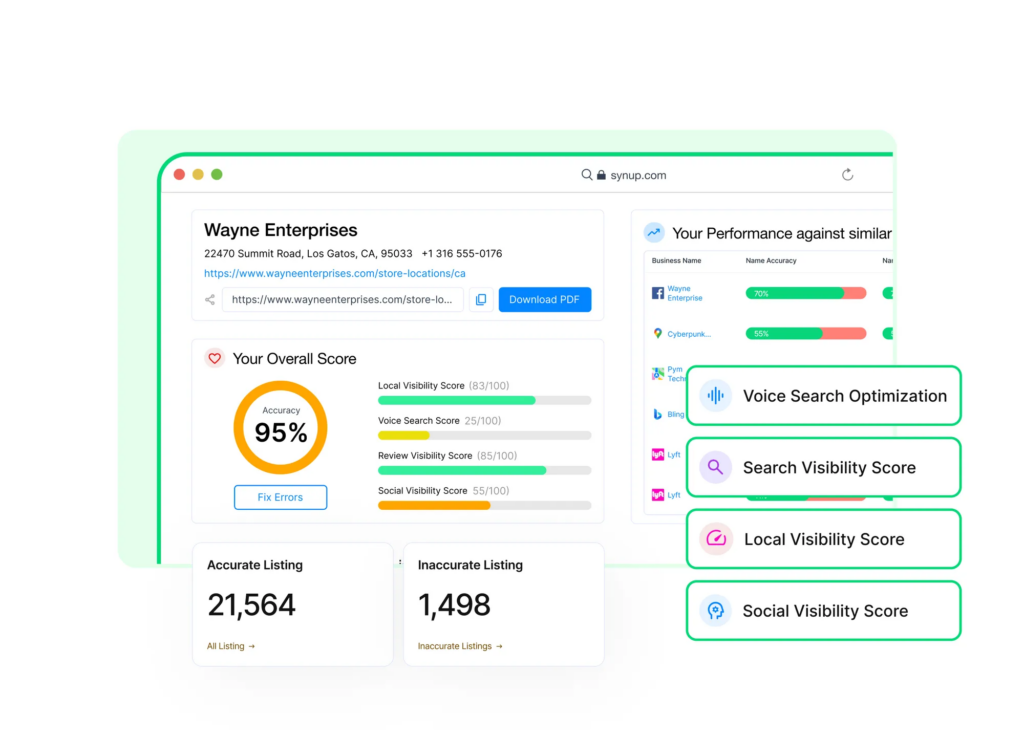

Also, tighten categories across directories (Yelp, Apple Maps, Bing Places, and other industry-specific listings). If one listing calls the business a home services company and another calls it a beauty clinic, Google receives mixed messages. Mixed messages always hurt rankings and can lead to a scenario that the business below found itself in:
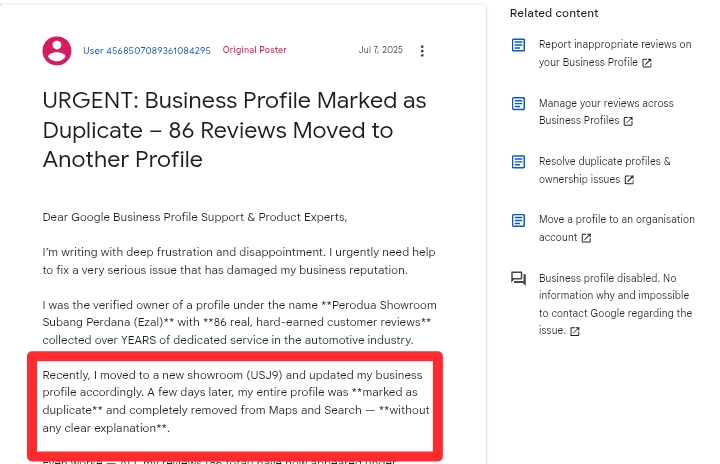

This is exactly the kind of nightmare inconsistent citations, mismatched categories, or duplicate listings can create. Google’s automated systems rely heavily on NAP consistency (Name, Address, Phone), categories, and listing history to determine whether a profile is legitimate or a duplicate.
When the system sees:
- a name change,
- a location update,
- conflicting categories across directories, or
- older listings still floating around online,
…it sometimes assumes the business is a duplicate or no longer valid. That’s when profiles may get flagged, merged, or, in the worst cases, wiped out with all their reviews disappearing or moved elsewhere.
Leverage Google Maps Ads and Local Campaigns
Sometimes, organic alone moves too slowly. Maybe the niche is competitive. Maybe a new location needs awareness quickly. Or maybe the client is impatient. Either way, Local Services Ads can give your client a head start while organic momentum builds.
Local Campaigns in Google Ads are built specifically for map visibility. They push your client into the prime spot where customers are actively deciding what business to visit.


Set up is simple:
- Choose a radius around the service area.
- Add call extensions.
- Add direction extensions.
- Link it directly to the verified Google Business Profile.
- Then track how many calls, clicks, and direction requests come from the ads.
Here’s what a clean launch framework can look like:
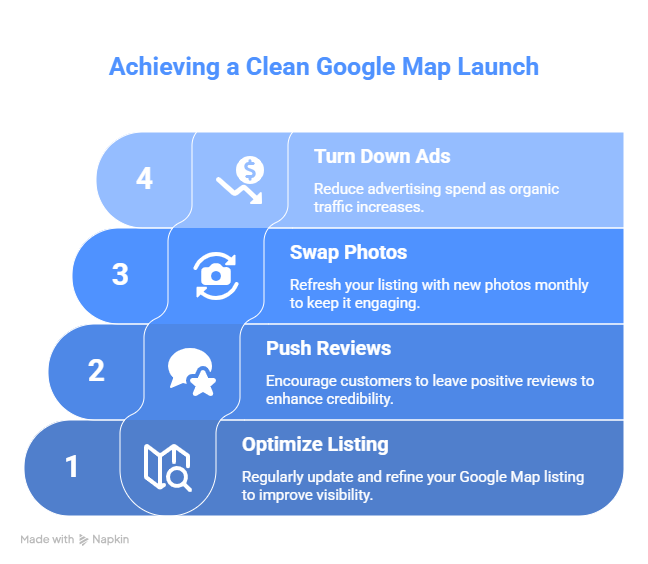

Choosing the paid route gives instant visibility. Organic gives long-term stability. Together, they stack nicely.
Track Performance and Iterate Regularly
Nothing kills Maps’ visibility faster than neglect. You need ongoing measurement, not a one-time setup. Agencies that treat Maps as a maintenance channel win in the long term.
Start with Google Business Profile Insights. Look at profile views, discovery vs direct searches, direction requests, website visits, and call clicks. These tell you how real people interact with the listing.
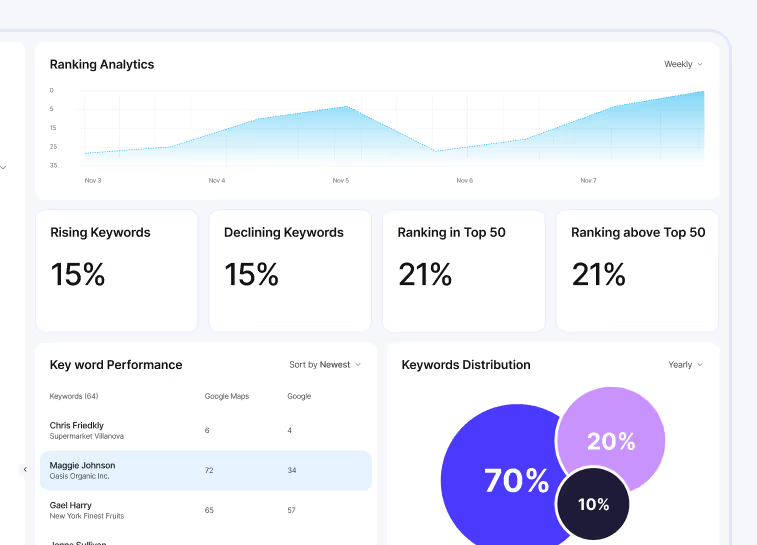
Rank tracking matters too. You want to watch how the business appears for main keywords like service plus city. When those rankings wobble, you can fix issues fast.

Read More: 5 Best White Label Rank Trackers for Marketing Agencies
This is where real-world experience speaks loudly. A marketer once shared their story online. From 2019 to 2022, their Google Maps profile was a sales machine. Leads rolled in without stress. Clients found them effortlessly. Life was sweet.
Then January 2024 arrived… and everything just slowed down.
They were still pulling thousands of views on Maps. Over five hundred interactions in four months. On paper, the visibility looked great. But under the hood, their organic keywords were slipping, and the city pages that used to drive phone calls were barely breathing.
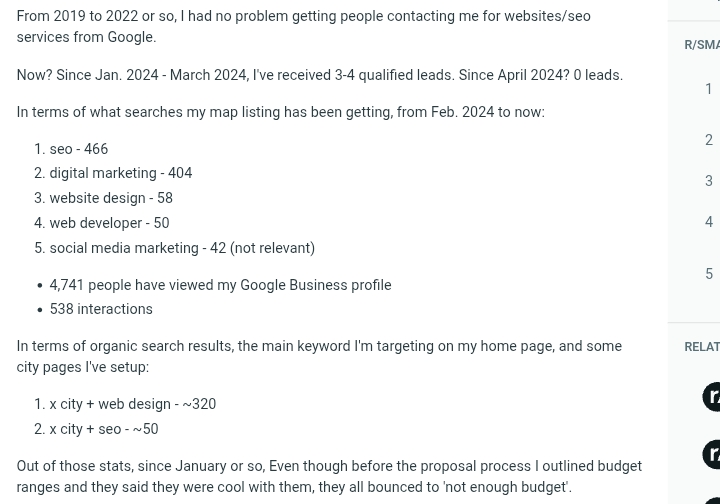

That mismatch (lots of eyeballs and very few real leads) opened their eyes.
Visibility is not demand.
If you’re not measuring both, you’re basically driving with one headlight.
So, before small issues turn into silent revenue leaks, always run a quarterly Maps Health Check. It should cover:
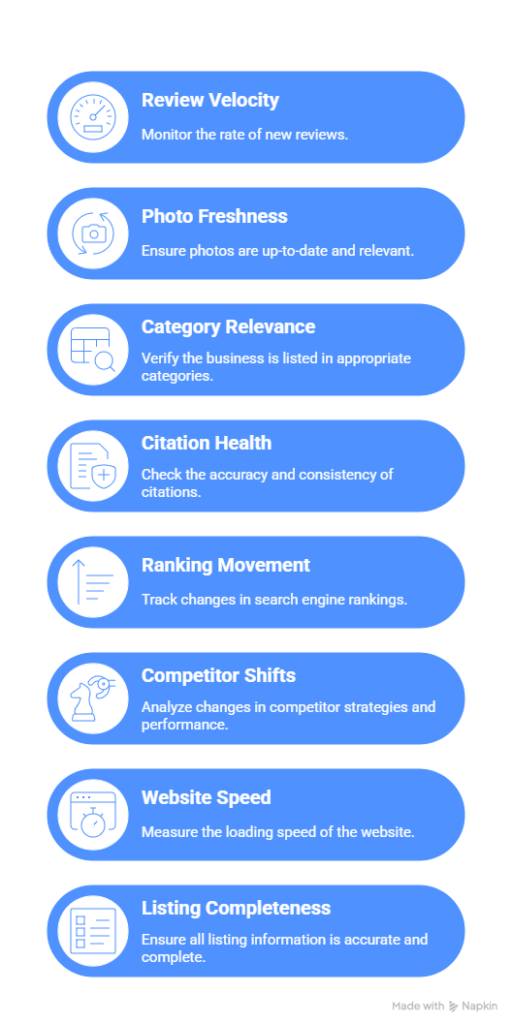

Conclusion and Next Steps
At this point, you have seven fully actionable Google Maps marketing tactics that help clients build real visibility, real foot traffic, and real lead flow.
Google Maps marketing should be part of your core service workflow. Clients don’t have the time, consistency, or technical know-how to manage profiles the right way. That’s exactly why they lean on agencies like you.
Start small. Choose one client this week. Do a full audit. Add and refresh photos. Fix citations. Push a new batch of reviews. Align their website with their listing. These can create early wins fast.
Synup’s listing management tool and local SEO resources help you streamline listings, reviews, and reporting with ease. To have access to Synup’s listing management platform, start with a demo.
FAQs
1. How to use Google Maps for marketing?
Start by verifying and optimizing your Business Profile so local customers can find you. Add and update photos, collect and respond to reviews, post weekly updates, and keep your categories, address, and phone number accurate. Track insights like views, search terms, and calls to see what drives leads. With consistent upkeep, Google Maps becomes a reliable, low-cost lead engine for local businesses.
2. Can SMBs do Google Maps marketing themselves?
SMBs can handle the basics, but most lack the time, structure, and consistency that agencies provide. Agencies prevent review drops, citation decay, outdated photos, slow websites, incorrect NAP info, and ranking dips. They run audits to catch red flags before they become traffic losses and maintain workflows like review automation, quarterly Maps checks, and structured photo posting: tasks that are difficult for small business owners to manage alone.
3. Is paid advertising on Google Maps worth it?
Yes, especially in competitive markets or when launching new locations. Local campaigns put businesses in prime discovery zones while organic optimization gains traction. Direction-focused ads often convert better since users are already in buying mode, and they provide clean data on calls, location interest, and radius performance to guide future organic strategies.


